

Dropshipping has revolutionized the way entrepreneurs launch online businesses by eliminating the need for inventory management, warehousing, and large upfront investments. Instead, products are shipped directly from suppliers to customers, making it one of the most cost-effective eCommerce models today. Among the many platforms available, WooCommerce stands out as a powerful and flexible solution for creating and scaling dropshipping stores. As a WordPress plugin, it offers complete control over customization, access to thousands of extensions, and seamless integrations with top dropshipping tools. Whether you’re a beginner just starting your online journey or an experienced seller looking to streamline operations, dropshipping with WooCommerce provides everything you need, affordability, scalability, and professional-grade functionality. This guide will walk you through every step, from setting up your store and integrating suppliers to optimizing for SEO, marketing, and long-term growth, ensuring you’re equipped to build a profitable online business.
Why choose Dropshipping with WooCommerce?
WooCommerce is one of the most popular and trusted platforms for building dropshipping businesses because of its flexibility, affordability, and ease of use. As an open-source plugin for WordPress, it allows entrepreneurs to launch their stores without heavy upfront costs, making it especially appealing to beginners. What sets WooCommerce apart is its ability to scale with your business; whether you are selling just a handful of products or thousands, it can handle both effortlessly. The platform is backed by a massive ecosystem of plugins, premium WordPress themes, and extensions that let you add advanced features such as automated product imports, inventory management, multiple payment gateways, and real-time shipping calculations.
In addition, WooCommerce supports seamless integrations with leading dropshipping plugins like AliDropship, Spocket, and Printful, giving you access to global suppliers. Combined with a responsive design, customizable themes, and strong community support, WooCommerce offers everything needed to run a professional, reliable, and profitable dropshipping store.
How to Set Up A Dropshipping Store with WooCommerce?
Step 1: Set Up Hosting & Install WordPress

The foundation of a successful dropshipping store starts with reliable hosting and WordPress installation. Choose a hosting provider that offers strong uptime, fast loading speeds, and one-click WordPress installation. Popular web hosting and domain name like Bluehost, SiteGround, or Hostinger are widely recommended for their compatibility and support. Once you’ve set up hosting, register a domain name that aligns with your brand’s identity and niche. A memorable domain will make it easier for customers to recognize and trust your store. After installing WordPress, you can log in to your dashboard and begin customizing your site.
At this stage, keep your design clean, user-friendly, and responsive across all devices. Dropshipping with WooCommerce requires a strong foundation, so investing time in this initial setup ensures smoother operations later. With WordPress installed and hosting secured, you are now ready to move forward with configuring WooCommerce and building your store’s core functionality.
Step 2: Install & Configure WooCommerce Plugin

Once your WordPress site is active, the next critical step is installing and configuring the WooCommerce plugin. Head to your WordPress dashboard, click “Plugins,” then “Add New,” and search for WooCommerce. Install and activate it to transform your site into a fully functional online store. The setup wizard will guide you through key configurations such as store location, currency, payment gateways, and shipping options. Since dropshipping with WooCommerce often involves global suppliers, ensure your currency and shipping settings are flexible enough to handle international customers. You can integrate payment solutions like PayPal, Stripe, or credit cards for seamless transactions.
Additionally, configure tax options based on your region to stay compliant with legal requirements. Properly configuring WooCommerce lays the groundwork for smooth store management and customer satisfaction. This step is essential because it connects your backend system with customer-facing operations, making dropshipping with WooCommerce efficient and professional. For even more streamlined operations, consider using a woocommerce dropshipping plugin to automate order fulfillment and vendor management.
Step 3: Select a Dropshipping-Friendly Theme

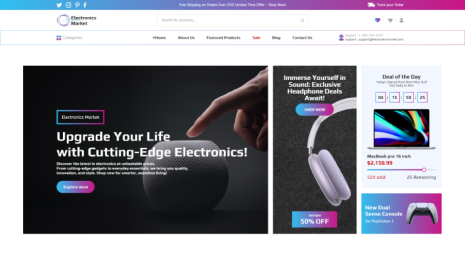
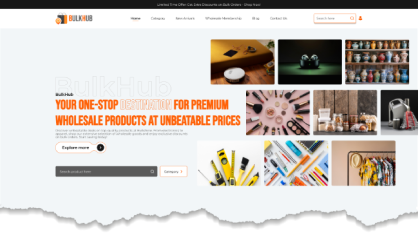
Design plays a vital role in building trust and credibility when setting up dropshipping with WooCommerce. The right theme ensures your store looks appealing, loads quickly, and provides an intuitive shopping experience. Choose a theme that is lightweight, responsive, and optimized for eCommerce. Popular WordPress themes like Astra, OceanWP, or Flatsome work exceptionally well with WooCommerce and offer customizable layouts tailored for dropshipping businesses. When browsing themes, prioritize features such as mobile responsiveness, fast load times, and compatibility with product filter plugins. Dropshipping with WooCommerce benefits from themes that showcase products clearly with high-quality images and easy navigation. Customization options are equally important, as they allow you to align the design with your brand’s identity and build a professional store to successfully start a dropshipping business
A well-structured theme not only improves user experience but also boosts conversions. By investing time in selecting a dropshipping-friendly theme, you set the stage for a professional store that resonates with your target customers.
Step 4: Add Products & Integrate Supplier Plugins

The heart of dropshipping with WooCommerce lies in adding products and connecting with reliable suppliers. WooCommerce allows you to manually upload products, but for dropshipping efficiency, you’ll need supplier integration plugins. Tools like AliDropship, Spocket, or WooDropship enable you to import products directly from platforms like AliExpress or US/EU-based vendors. These plugins streamline inventory management, update stock automatically, and sync product details such as titles, descriptions, and prices.
When adding products, focus on writing compelling descriptions and using high-quality images to attract customers. Dropshipping with WooCommerce becomes easier when you use automation tools to track orders and maintain accuracy between your store and supplier. Ensure you choose suppliers with reliable shipping timelines and good ratings to maintain customer satisfaction. To ensure a seamless checkout experience, integrating secure best woocommerce payment options is essential for processing customer transactions smoothly and instantly securing the funds needed to fulfill orders with your suppliers.
By integrating these plugins, you reduce manual work and keep your store running smoothly. This step ensures your dropshipping with WooCommerce business stays competitive and ready to scale.
Step 5: Optimize Store for SEO & Marketing

After setting up your store and adding products, the next step is optimizing for SEO and marketing. A visually appealing store won’t generate sales unless potential customers can find it online. Install SEO plugins like Rank Math or Yoast seo plugin for wordpress to optimize product titles, descriptions, and metadata. Focus on using relevant keywords that match buyer intent, including long-tail search terms. Marketing plays an equally important role in driving traffic. Dropshipping with WooCommerce becomes more profitable when combined with strategies like social media promotion, email marketing, and paid ads. Consider leveraging Facebook Ads or Google Ads to reach your target audience faster. Additionally, build an email list to engage returning customers with offers, discounts, and product recommendations.
By optimizing your store for SEO and launching effective marketing campaigns, you ensure consistent traffic and sales. This step strengthens the visibility and growth of your dropshipping store.
Step 6: Set Up Secure Payment Gateways

One of the most important aspects of dropshipping with WooCommerce is offering secure and convenient payment options. Customers are more likely to complete purchases if they trust your payment system. WooCommerce supports multiple gateways like PayPal, Stripe, Razorpay, and direct bank transfers, allowing you to cater to both local and global audiences. To set up, go to your WooCommerce settings and enable the gateways that suit your business needs. It’s essential to choose gateways that support international transactions, since many suppliers and customers operate across borders. Ensure SSL certificates are active on your site to protect sensitive data and increase buyer confidence when configuring your payment gateways for woocommerce
Additionally, offering multiple payment methods reduces cart abandonment and provides flexibility to your customers. With secure payment gateways configured, you can build credibility and make your dropshipping store a reliable shopping destination for buyers worldwide.
Step 7: Configure Shipping & Delivery Settings

Shipping is a crucial element of dropshipping with WooCommerce, even though you don’t handle logistics directly. WooCommerce allows you to configure shipping zones, classes, and rates to ensure customers understand delivery timelines and costs upfront. Transparency is key, customers should know whether items ship from international warehouses or local suppliers. Integrating shipping calculators can also help display accurate rates. Since delivery is handled by suppliers, choose partners with reliable shipping policies and reasonable timelines to maintain customer satisfaction. Many dropshipping plugins for example : woocommerce dropshipping plugin automatically sync supplier shipping details with your store, saving you manual effort. Offer free shipping on select products or order values to encourage conversions, while balancing profitability. Clear communication of shipping policies builds trust and prevents disputes.
By configuring shipping and delivery settings correctly, you enhance customer experience and make your business more dependable and competitive in the e-commerce market.
Step 8: Set Up Analytics & Tracking

Data is the backbone of scaling a successful dropshipping business with WooCommerce. By enabling analytics and tracking, you can monitor customer behavior, product performance, and overall sales trends. WooCommerce has built-in reports, but integrating tools like Google Analytics or MonsterInsights provides deeper insights into traffic sources, conversions, and bounce rates. For detailed step-by-step guidance, you can explore how to add Google Analytics WordPress to track and optimize your store’s performance effectively. Dropshipping with WooCommerce becomes more strategic when you understand which products are driving revenue and which marketing channels perform best. Setting up Facebook Pixel or Google Ads tracking is also useful if you plan to run paid campaigns. Additionally, monitor abandoned carts to identify opportunities for follow-up emails and retargeting. Regularly reviewing analytics helps you adjust pricing, optimize product listings, and refine marketing strategies.
With accurate tracking, you can make data-driven decisions that reduce guesswork. Analytics ensures your dropshipping store evolves with customer demands, ultimately improving profitability and long-term growth.
Step 9: Focus on Customer Support & Trust-Building

Strong customer support is the backbone of long-term success in dropshipping with WooCommerce. Since you don’t directly control product fulfillment, communication becomes your biggest tool to build trust. Offer multiple support channels, such as live chat, email, and FAQs, so customers feel supported at every step. You can enhance this by integrating the best FAQ plugin for WordPress which makes it easier to answer common questions efficiently. It requires setting clear expectations regarding delivery times, returns, and refunds to avoid misunderstandings. Transparency and timely responses can turn frustrated customers into loyal buyers. Consider adding social proof through reviews and testimonials to boost credibility. You can also use trust badges, secure checkout icons, and detailed policies to reassure visitors. Excellent customer support not only resolves issues but also encourages repeat business.
By prioritizing trust-building, your dropshipping store can stand out from competitors and create a positive brand reputation that drives long-term success.
Step 10: Scale & Automate Your Store

Once your foundation is solid, it’s time to scale your dropshipping business with WooCommerce. Scaling involves expanding product lines, targeting new markets, and automating repetitive tasks to save time. Automation tools like Zapier, Orderhive, or WooCommerce automation plugins can handle tasks such as order routing, email marketing, and inventory syncing. Dropshipping with WooCommerce becomes more efficient when you minimize manual work and focus on strategy. Scaling also means investing in advanced marketing tactics, including influencer collaborations, retargeting ads, and loyalty programs to boost customer retention. Test new suppliers and products to diversify your offerings and reduce reliance on a single source. As traffic grows, upgrade hosting plans to ensure your site remains fast and responsive. By automating workflows and expanding strategically, you can grow your dropshipping store into a sustainable and profitable business. This step positions you for long-term growth in the competitive eCommerce landscape.
Conclusion
Dropshipping with WooCommerce offers entrepreneurs a low-risk, high-reward pathway into the eCommerce world. Its flexibility, scalability, and vast ecosystem of plugins make it a reliable platform for building stores that can compete globally. By carefully setting up hosting, installing WooCommerce, selecting a dropshipping-friendly theme, or even exploring options like a wp theme bundle to access multiple designs at once, you create a solid foundation for success. From there, optimizing your store for SEO, implementing strong marketing strategies, and prioritizing customer support ensure steady growth and brand credibility. As your business matures, automation and scaling tools will help streamline operations and maximize profitability. Whether you’re launching your first store or expanding into new markets, WooCommerce provides all the resources needed to build a sustainable dropshipping business. With the right strategies in place, you’ll be well on your way to turning your online store into a thriving eCommerce brand.
Blogs Categories
Podcast WordPress Theme (Audio Podcast 2.0)

Latest WordPress Themes













Buy All our Premium Themes just at $119
