

The e-commerce industry is growing faster than ever. More entrepreneurs are launching online marketplaces to connect buyers and sellers under one roof. WordPress makes this journey incredibly simple. With the right WordPress Multivendor Plugins, you can transform any WordPress site into a fully functional marketplace just like Amazon or eBay.
These plugins give you the power to onboard multiple vendors. Each vendor can manage their own products, orders, and payouts. You don't need to handle everything manually. The plugin does the heavy lifting for you. But choosing the right plugin is not always easy. There are dozens of options available. Each comes with different features, pricing, and capabilities. Picking the wrong one can slow down your growth.
That's why we've put together this guide. We tested and reviewed the most popular options available today. Whether you're building a new marketplace or upgrading an existing store, this list has something for everyone. Let's dive in and find the perfect fit for your business.
Benefits of using WordPress Multivendor Plugins
Using WordPress Multivendor Plugins comes with a wide range of advantages. These benefits make them a smart choice for anyone looking to build an online marketplace.
- Easy Vendor Management: You can onboard multiple vendors effortlessly. Each vendor gets their own dashboard. They can manage products, orders, and earnings independently. You save time and reduce manual work.
- Multiple Revenue Streams: You earn a commission on every sale made on your marketplace. The more vendors you have, the more you earn. It's a passive income model that scales with your growth.
- Cost-Effective Solution: Building a marketplace from scratch is expensive. These plugins offer an affordable alternative. Most come with budget-friendly pricing plans. You get powerful features without breaking the bank.
- Seamless Payment Management: Handling payments for multiple vendors is simple. Most plugins support automated payouts. Vendors receive their earnings directly. No manual calculations needed.
- Scalability: Your marketplace can grow without limits. You can add more vendors anytime. The plugins are built to handle large volumes of traffic and transactions. Your store remains stable as it scales.
- Customization Options: Every marketplace has unique needs. These plugins offer flexible customization. You can adjust layouts, commission structures, and vendor permissions. Build a marketplace that matches your brand perfectly.
- Built-in Analytics: Data is crucial for growth. Most plugins come with built-in reporting tools. You can track sales, vendor performance, and revenue. Make smarter decisions based on real data.
- Better Customer Experience: Shoppers enjoy having more choices in one place. A multivendor marketplace offers a wide variety of products. Customers can compare and buy from multiple sellers easily. This boosts satisfaction and repeat purchases.
Top-rated WordPress Multivendor Plugins
Choosing the right plugin is the most important step. There are many options available in the market. But not all of them deliver the same value. Here are the top-rated plugins you should consider.
Dokan Multivendor Marketplace

Dokan is one of the most trusted WordPress Multivendor Plugins available today. It powers over 60,000 active marketplaces worldwide. The plugin is built on top of WooCommerce. This makes it easy to set up and manage. Dokan gives every vendor a dedicated frontend dashboard. Vendors can handle their own products, orders, and withdrawals. You don't need to manage everything manually. The admin has full control over commissions and vendor permissions. Dokan supports multiple secure payment gateway including PayPal and Stripe. It also offers subscription-based vendor memberships. The plugin is beginner-friendly yet powerful enough for advanced users. It comes with both free and premium versions. The free version covers basic marketplace needs. The premium version unlocks advanced features and modules. Dokan is a reliable choice for anyone serious about building a scalable online marketplace.
Price - Freemium, its starter plans starts from $149/year.
|
Pros |
Cons |
|
|
|
|
|
|
|
|
|
|
ELEX Multi Vendor Plugin

ELEX is a powerful and affordable option among WordPress Multivendor Plugins. It is built specifically for WooCommerce-based marketplaces. The plugin is developed by ELEXtensions. It is known for its clean interface and smooth performance. ELEX allows vendors to manage their own storefronts easily. Each vendor gets a dedicated dashboard. They can handle products, orders, and earnings independently. The admin has full control over vendor approvals and commissions. You can set global or individual commission rates. ELEX supports multiple payment methods for vendor payouts. It also offers detailed sales reports for both admins and vendors. The plugin is lightweight and does not slow down your site. It works well with most WooCommerce themes and extensions. ELEX is a great choice for startups and small to mid-sized marketplaces looking for an affordable yet feature-rich solution.
Price - Its Single Site License starts from $69/year.
|
Pros |
Cons |
|
|
|
|
|
|
|
|
|
|
Webkul WooCommerce Multi Vendor Marketplace

Webkul is a feature-packed and enterprise-grade option among WordPress Multivendor Plugins. It is developed by Webkul Software. The plugin is built on top of WooCommerce. It is designed for large-scale marketplace projects. Webkul gives every vendor a dedicated storefront. Vendors can manage their own products, orders, and earnings easily. The admin has complete control over the entire marketplace. You can manage vendor approvals, commissions, and payouts effortlessly. Webkul supports multiple payment gateways for seamless transactions. It also offers advanced shipping management tools. The plugin provides detailed analytics and reporting features. Both admins and vendors can track performance in real time. Webkul is highly customizable to match your brand identity. It integrates well with popular WooCommerce extensions. Webkul is a solid choice for businesses looking to build a robust and scalable online marketplace.
Price - Regular License is for $249.
|
Pros |
Cons |
|
|
|
|
|
|
|
|
|
|
YITH WooCommerce Multi Vendor / Marketplace

YITH is a well-known and reliable option among WordPress Multivendor Plugins. It is developed by the YITH team. The plugin is built specifically for WooCommerce stores. It is known for its simplicity and ease of use. YITH allows vendors to manage their own product catalogs easily. Each vendor gets a dedicated dashboard to handle orders and earnings. The admin has full control over vendor approvals and commissions. You can set global or individual commission rates effortlessly. YITH supports PayPal Adaptive Payments for seamless vendor payouts. It also integrates well with popular payment gateways. The plugin offers detailed sales reports for admins and vendors. It works smoothly with most WooCommerce themes and extensions. YITH is regularly updated with new features and improvements. It is a perfect choice for small to mid-sized marketplaces looking for a simple yet powerful solution.
Price - Single Site License starts from $179.99/year.
|
Pros |
Cons |
|
|
|
|
|
|
|
|
|
|
MultiVendorX

MultiVendorX is a modern and highly customizable option among WordPress Multivendor Plugins. It was formerly known as WC Marketplace. The plugin is built on top of WooCommerce. It is designed for businesses of all sizes. MultiVendorX gives every vendor a dedicated frontend dashboard. Vendors can manage their own products, orders, and earnings easily. The admin has complete control over vendor approvals and commissions. You can set flexible commission rules for each vendor effortlessly. MultiVendorX supports multiple payment gateways for seamless transactions. It also offers subscription-based vendor membership options. The plugin provides detailed analytics and reporting tools. Both admins and vendors can track performance in real time. MultiVendorX is highly customizable to match your brand identity. It integrates well with popular WooCommerce extensions. MultiVendorX is a solid choice for growing marketplaces looking for a flexible and feature-rich solution.
Price - Freemium, its pro version starts from $99/year.
|
Pros |
Cons |
|
|
|
|
|
|
|
|
|
|
WC Vendors Marketplace

WC Vendors is a flexible and lightweight option among WordPress Multivendor Plugins. It is built specifically for WooCommerce-based marketplaces. The plugin is developed by the WC Vendors team. It is known for its simplicity and ease of use. WC Vendors gives every vendor a dedicated frontend dashboard. Vendors can manage their own products, orders, and earnings independently. The admin has full control over vendor approvals and commissions. You can set global or individual commission rates effortlessly. WC Vendors supports multiple payment gateways including PayPal and Stripe. It also offers automated vendor payout options. The plugin provides detailed sales reports for both admins and vendors. It works smoothly with most WooCommerce themes and extensions, making it highly compatible for different store setups. Among the popular woocommerce multi vendor plugins, WC Vendors stands out for its reliability and ease of use. The plugin is regularly updated with new features, performance improvements, and security enhancements to ensure a stable marketplace experience. It is a perfect choice for beginners and small to mid-sized marketplaces looking for a simple yet powerful solution to manage vendors, products, and commissions efficiently.
Price - Freemium, its pro version starts from $99/year.
|
Pros |
Cons |
|
|
|
|
|
|
|
|
|
|
Multivendor Marketplace WordPress Theme - A Saviour to build your Multivendor website

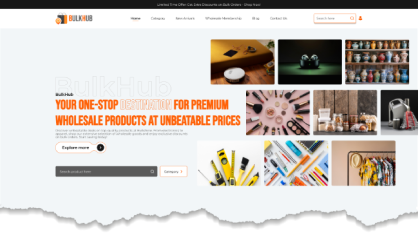
Building a multivendor marketplace requires more than just a plugin. You also need a well-designed and functional theme. The Multivendor Marketplace WordPress Theme by VW Themes is a perfect companion for your multivendor plugins. It is designed specifically for online marketplaces. The theme is clean, modern, and fully responsive. It looks great on all devices including desktops, tablets, and smartphones. VW Themes has built this theme with marketplace owners in mind. It is easy to set up and customize. You don't need any coding skills to get started. The Premium WordPress Themes works seamlessly with popular multivendor plugins like Dokan, WC Vendors, and MultiVendorX. Together, the theme and plugin create a powerful and complete marketplace solution. Whether you are launching a new marketplace or redesigning an existing one, this theme is a solid choice for your business.
Conclusion
Choosing the right plugin is a crucial decision. It can make or break your online marketplace. We have covered the best options available today. Each plugin comes with unique features and pricing. Your final choice depends on your budget and business goals. WordPress Multivendor Plugins make it easy to build and manage a successful marketplace. They save time, reduce manual work, and boost revenue. Dokan is great for beginners. Webkul suits large-scale projects. MultiVendorX and WC Vendors offer flexible and affordable options. YITH and ELEX are perfect for budget-conscious owners. Take time to evaluate each plugin carefully. Start with a free version if available. Test the features before upgrading to a premium plan. With the right plugin in place, your marketplace can grow beyond limits. Take the first step today and build your dream online marketplace.
Frequently Asked Questions
Q1. What is a WordPress Multivendor Plugin?
A WordPress Multivendor Plugin allows multiple vendors to sell products on a single WooCommerce store. Each vendor manages their own products, orders, and earnings. The admin controls the entire marketplace from one dashboard.
Q2. Are there any free WordPress Multivendor Plugins available?
Yes. Dokan, MultiVendorX, and WC Vendors offer free versions. These free versions cover basic marketplace needs. You can upgrade to a premium plan as your business grows.
Q3. Can I use these plugins with any WooCommerce theme?
Most multivendor plugins work with popular WooCommerce themes. However, it is always recommended to check plugin compatibility before installation. Some plugins also offer their own dedicated marketplace themes.
Q4. How do vendors receive their payments?
Most plugins support automated vendor payouts. Payment gateways like PayPal and Stripe are commonly supported. Vendors receive their earnings directly after admin approval.
Q5. Can I set different commission rates for different vendors?
Yes. Most multivendor plugins support flexible commission management. You can set global or individual commission rates. Some plugins also support percentage-based and flat-rate commissions.
Blogs Categories
Podcast WordPress Theme (Audio Podcast 2.0)

Latest WordPress Themes
















Buy All our Premium Themes just at $119
