

Introduction
Learning how to customize WordPress themes is one of the most rewarding skills for anyone building a website. A theme sets the foundation for your site’s design, but customization is what makes it truly yours. Whether you’re running a blog, online store, or portfolio, customizing allows you to match your branding, improve usability, and create a unique user experience. The process can be as simple as changing colors and fonts or as advanced as editing layouts, adding features, and optimizing performance. The best part is that you don’t need to be a coding expert to start. With the right tools, like the WordPress Customizer, child themes, page builders, and plugins, you can make professional-looking changes with ease. In this guide, we’ll walk you step-by-step through how to customize WordPress themes, giving you the confidence to transform a standard template into a site that stands out and meets your goals.
If you are here For WordPress Themes then don't worry You can also choose from Our variety of Premium WordPress Themes tailored for 100+ Niches and Businesses.
Understanding WordPress Themes
Before diving into the details of how to customize WordPress themes, it’s important to understand what themes are and how they work.
What is a WordPress Theme?
A WordPress theme is a pre-designed template that controls the appearance and layout of your website. Themes determine everything from typography to color palettes, and they can be customized to fit your vision.
Free vs. Premium Themes
When learning how to customize WordPress themes, you’ll notice both free and premium options. Free themes are budget-friendly and easy to install, but premium themes often offer more customization options, better support, and advanced features.
Parent and Child Themes
If you’re serious about customization, you should understand the difference between parent and child themes. A child theme lets you make changes without touching the original files, making it the safest method when figuring out how to customize WordPress themes.
Preparing to Customize Your Theme
Before jumping into edits, preparation is key.
Backup Your Website
Any guide on how to customize WordPress themes should start with this: always back up your site. A backup ensures you can restore your site if something goes wrong during customization.
Use a Staging Site
A staging site is a copy of your website where you can safely test changes before going live. This is a must for anyone experimenting with how to customize WordPress themes for the first time.
Update WordPress and Your Theme
Before you customize, make sure you’re using the latest versions. Updates often fix bugs, improve security, and ensure compatibility, important factors when learning how to customize WordPress themes.
Top 5 WordPress Themes that can be customised in 2025
1. Audio Podcast WordPress Theme

The Audio Podcast WordPress Theme is designed for creators, storytellers, and broadcasters who want a professional platform to share episodes, music, or interviews. With sleek layouts, integrated audio players, and easy episode management, this theme ensures your content shines. Its mobile-responsive design guarantees a flawless listening experience on all devices. Perfect for beginners and pros alike, it supports various media formats, making it simple to keep your audience engaged and coming back for more.
Features:
- Built-in audio player with playlist support
- Podcast episode management tools
- SEO-optimized structure for better reach
- Fully responsive and mobile-friendly design
- Social media integration for promotion
2. Multi-vendor Marketplace WordPress Theme

The Multi-vendor Marketplace WordPress Theme offers a complete solution for building an online store with multiple sellers. Ideal for entrepreneurs learning how to customize WordPress themes, it provides vendor dashboards, commission tracking, and product management tools. Its responsive layouts and advanced search features make shopping simple for customers. Whether you’re selling fashion, electronics, or handmade goods, this theme supports secure payments and seamless order management, helping you create a scalable and professional multi-vendor eCommerce platform.
Features:
- Vendor registration and management system
- Commission control for marketplace owners
- Product filtering and advanced search options
- Compatible with WooCommerce extensions
- Secure payment gateway integration
3. Classified WordPress Theme

The Classified WordPress Theme is tailored for creating ad listing platforms where users can post, browse, and manage classified ads easily. Its clean design and intuitive navigation make it simple for visitors to find what they need. With monetization options like featured ads and paid listings, you can turn your site into a profitable venture. This theme is lightweight yet powerful, offering customization flexibility for businesses, communities, or niche marketplaces looking to build a trusted online listing space.
Features:
- User-friendly ad posting interface
- Multiple ad categories and filters
- Monetization through paid listings
- Mobile-friendly and responsive design
- Integrated contact forms for inquiries
4. Vacation Rental WordPress Theme

The Vacation Rental WordPress Theme is perfect for property owners, travel agencies, or booking services wanting to showcase accommodations online. Built with flexibility in mind, it’s great for those exploring how to customize WordPress themes to suit unique rental needs. It offers booking calendars, pricing tables, and image galleries to attract potential guests. Mobile responsiveness ensures travelers can browse and book effortlessly from any device, while WordPress SEO optimization boosts your property’s visibility in search results.
Features:
- Integrated booking and availability calendar
- Property listing and detail pages
- Google Maps integration for location display
- Multiple payment gateway support
- High-quality image gallery layouts
5. Car Dealership WordPress Theme

The Car Dealership WordPress Theme is crafted for auto dealers, resellers, and car rental businesses seeking an elegant yet functional online presence. It supports advanced vehicle search, comparison tools, and detailed car listings with specs, images, and pricing. Visitors can easily browse by make, model, or price range. This theme’s robust performance and customization options make it an excellent choice for automotive businesses looking to attract more customers and manage inventory efficiently.
Features:
- Advanced vehicle search and filter options
- Vehicle comparison functionality
- Detailed car listings with specifications
- Finance calculator integration
- Mobile-friendly and SEO-ready design
Methods to Customize WordPress Themes
Here’s where the fun begins. There are multiple ways to personalize your site, ranging from simple changes to advanced design tweaks.
1. Using the WordPress Customizer
One of the easiest ways to learn how to customize WordPress themes is through the built-in WordPress Customizer. You can access it from your dashboard under Appearance → Customize.
Here you can:
-
Change the site identity (logo, title, tagline)
-
Adjust colors and fonts
-
Modify layouts and menus
2. Customizing Through Theme Settings Panel
Some themes come with their own theme settings panel offering additional options. If you’re exploring how to customize WordPress themes with minimal effort, these built-in settings can be a goldmine.
3. Using Page Builders
Page builders like Elementor, WPBakery, and the Gutenberg editor provide drag-and-drop features. They make how to customize WordPress themes a visual process, perfect for beginners who want more control without touching code.
4. Adding Custom CSS
For more precise design control, you can add custom CSS. Even basic CSS knowledge can help you adjust colors, margins, or font styles. If you’re learning how to customize WordPress themes with a focus on design precision, CSS is a powerful tool.
5. Creating and Editing a Child Theme
When making advanced changes, always use a child theme. This ensures your customizations won’t disappear after a theme update. Anyone who wants to master how to customize WordPress themes should understand child theme creation.
Customizing Functionality with Plugins
Sometimes customization isn’t just about looks—it’s about features. Plugins can add new functionality without touching your theme’s code.
Examples:
-
Contact Form 7 for forms
-
WooCommerce for e-commerce
-
Yoast SEO for optimization
Incorporating plugins is part of how to customize WordPress themes because they allow you to extend your site’s capabilities beyond design.
Common Mistakes to Avoid When Customizing
While learning how to customize WordPress themes, beginners often make the same mistakes:
-
Editing the parent theme directly, which can cause changes to be lost after updates
-
Forgetting to back up before making changes
-
Installing too many plugins, which can slow down your site
Avoiding these pitfalls will save you frustration in the long run.
Best Practices for Theme Customization
To get the most out of how to customize WordPress themes, follow these best practices:
-
Keep your design consistent with your brand identity
-
Ensure mobile responsiveness, more than half of web traffic comes from mobile devices.
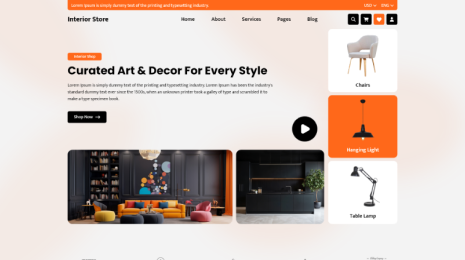
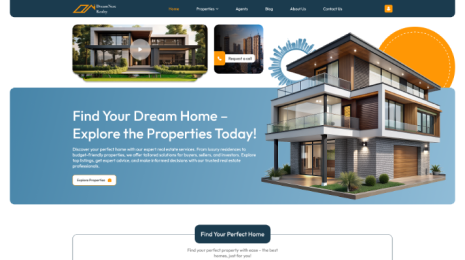
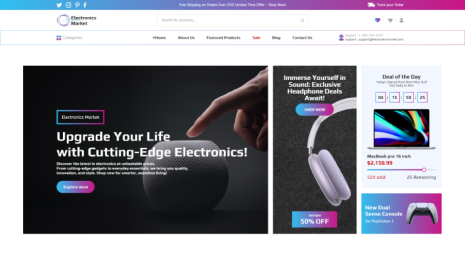
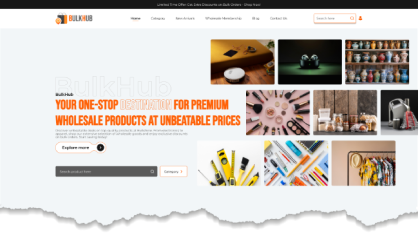
VWThemes WP Theme Bundle offers a collection of premium WordPress themes designed for various niches, ensuring responsive design, SEO optimization, and user-friendly customization. It’s a cost-effective solution for creating multiple professional websites with ease.
Conclusion
Mastering how to customize WordPress themes opens up endless possibilities for creating a website that truly reflects your brand’s style and functionality. Whether you choose a theme for podcasts, marketplaces, classifieds, rentals, or dealerships, customization lets you adapt layouts, colors, and features to meet your unique goals. By understanding the tools available such as the WordPress Customizer, child themes, page builders, and plugins, you can transform a standard theme into a fully personalized site. Remember to back up your website, test changes on a staging environment, and keep designs consistent for the best results. The beauty of learning how to customize WordPress themes lies in the creative freedom it offers, enabling you to stand out from competitors. Start small, experiment with different options, and gradually explore advanced features. With the right approach, your website will not only look professional but also deliver a seamless user experience that keeps visitors engaged.
Blogs Categories
Podcast WordPress Theme (Audio Podcast 2.0)

Latest WordPress Themes











Buy All our Premium Themes just at $119
