

Managing and exporting your WordPress media library efficiently is essential for maintaining a fast, organized, and SEO-friendly website. Whether you run a blog, portfolio, or eCommerce store, handling thousands of images, videos, and documents can quickly become overwhelming without the right tools. That’s where export media library WordPress plugins come in, they streamline file organization, optimization, and export processes, saving you time and improving site performance.
From automatic image compression and renaming to structured folder management and built-in editors, these plugins offer everything you need to keep your media library clean and efficient. In this guide, we’ll explore the 6 best export media library WordPress plugins, both free and premium, that help you optimize, organize, and export your files with ease. Whether you’re a beginner or an experienced site owner, these tools will simplify your workflow and elevate your website management experience especially when paired with premium WordPress themes that rely on optimized media for top-notch performance and visual appeal.
How to Choose the Best Export Media Library Plugin
Selecting the right export media library WordPress plugin depends on your website’s needs, workflow, and goals. With so many options available, focusing on a few essential factors will help you make an informed choice and ensure smooth, long-term performance.
- Check for Compatibility: Make sure the plugin works seamlessly with your current theme, page builder, and other active plugins.
- Look for Cloud Features: Plugins with cloud-based optimization or storage help save server space and boost your site’s loading speed.
- Ease of Use: Choose a plugin with a simple, drag-and-drop interface for hassle-free file organization and export.
- Export Options: Select tools that allow exporting specific folders, file types, or entire libraries based on your needs.
- Support & Updates: Opt for plugins with active developer support and regular updates to maintain performance, security, and compatibility.
Best 6 Export Media Library WordPress Plugins
1. Optimole ( Free )
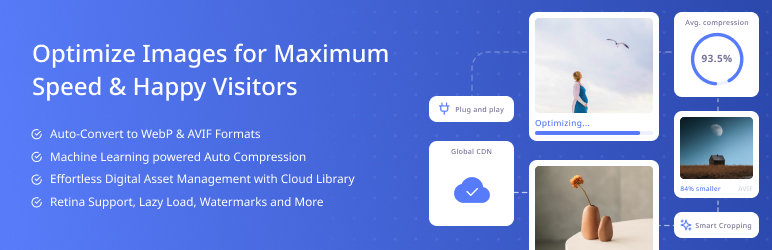
Optimole is a powerful export media library WordPress plugin designed to optimize your website’s performance through advanced image compression and delivery. It automatically compresses, resizes, and serves images via a global CDN with 450+ locations, ensuring fast load times for every visitor. With support for modern formats like WebP and AVIF, Optimole reduces file sizes by up to 80% without compromising visual quality. Its intelligent lazy loading, adaptive image sizing, and ML-powered optimization not only enhance Core Web Vitals but also improve search engine rankings, giving your site the speed and visibility it deserves.
The plugin operates entirely in the cloud, saving your server resources and improving site efficiency. You can optimize an unlimited number of images and even manage them through a cloud-based media library. Whether you run a blog, portfolio, or WooCommerce store, Optimole delivers lightning-fast, high-quality visuals automatically, no manual configuration required. Enjoy a smoother, faster, and more professional website experience with Optimole’s complete image optimization solution.
Key Features:
- Automatic Image Optimization: Compresses and resizes images automatically with no manual setup, ensuring top performance for every page and post.
- Global CDN Delivery: Delivers images via 450+ worldwide CDN locations to provide faster load times for all visitors.
- Modern Format Support: Converts images to WebP and AVIF formats to reduce file size without losing visual quality.
- Cloud-Based Management: Optimizes and serves images from the cloud, saving server space and improving overall website performance.
2. Media Library Organizer ( Free )
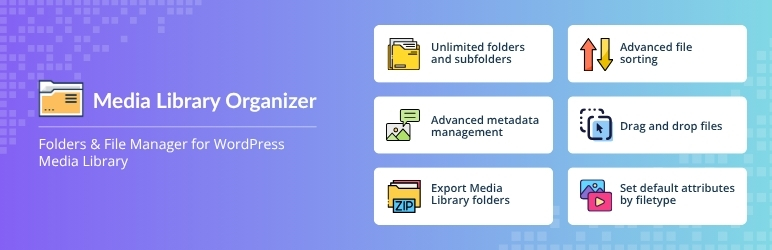
Media Library Organizer is the ultimate solution for managing and structuring your WordPress media files efficiently. This powerful plugin lets you create unlimited folders and subfolders, helping you organize thousands of images, videos, and documents effortlessly. With an intuitive drag-and-drop interface, you can easily move files between folders, sort by date or author, and even set default folders for uploads.
Take control of your workflow with advanced features like exporting entire Media Library folders as ZIP files, setting default metadata (alt text, captions, descriptions) by file type, and customizing how uploads appear on your site. The plugin also supports seamless migration from other tools and works flawlessly with popular page builders, ACF, and WordPress themes. Whether you’re a blogger, designer, or agency, Media Library Organizer simplifies file management and boosts productivity. As one of the most powerful free WordPress plugins for media organization, it’s the ideal export media library WordPress plugin for professionals who value speed, structure, and efficiency.
Key Features:
- Drag-and-Drop Interface: Effortlessly move files between folders or create subfolders to keep your library structured and accessible.
- Export as ZIP Files: Export complete folders or selected media groups as downloadable ZIP archives for quick backups or migrations.
- Metadata Management: Automatically set default ALT text, captions, and descriptions by file type to streamline SEO efforts.
- Full Compatibility: Works seamlessly with ACF, Elementor, Gutenberg, and WooCommerce for smooth integration into any WordPress workflow.
3. Media File Renamer ( Free )

Media File Renamer automatically renames your WordPress media files and their details, Title, ALT Text, and Description, for better SEO and organization. It uses smart methods, including AI suggestions, while still allowing manual edits. Whether you’re uploading new files or optimizing your existing media library, it simplifies the process and keeps your site tidy.
The plugin supports a wide range of features, including Retina and WebP images, PDF thumbnails, and UTF8 filenames. Its Pro Version includes advanced options like AI Vision, bulk renaming, metadata syncing, and file anonymization for enhanced privacy.
For safety, always back up your site before renaming or moving files, and use the Undo feature if needed. Media File Renamer ensures your WordPress media library stays organized, efficient, and optimized. If you’re also managing and exporting media, this plugin works seamlessly alongside any export media library WordPress plugin for complete file management.
Key Features:
- Automatic File Renaming: Renames media files, titles, and ALT text automatically for improved SEO and better file organization.
- AI-Powered Suggestions: Provides intelligent name recommendations using AI while allowing full manual control for edits.
- Bulk and Safe Editing: Offers bulk renaming, undo options, and safety checks to prevent broken media links.
- Extended File Support: Handles WebP, Retina images, PDF thumbnails, and UTF8 filenames for global compatibility.
4. Media Library Assistant ( Free )
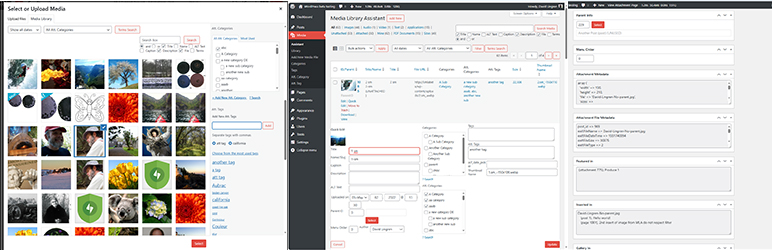
Media Library Assistant enhances your WordPress media management with advanced tools and flexibility. It extends the default [gallery] shortcode through [mla_gallery], offering complete support for categories, tags, custom taxonomies, and fields. With [mla_tag_cloud], [mla_term_list], and [mla_custom_list], you can easily display media-related data in customizable formats. The plugin integrates seamlessly with WPML, Polylang, Jetpack, Photonic Gallery, and Real Media Library for multilingual and folder-based media organization. It also supports IPTC, EXIF, and PDF metadata mapping, making it ideal for photographers and content creators. Gain complete control over MIME types, file icons, and search filters while managing attachments more efficiently with bulk editing, taxonomy assignment, and custom field options.
Media Library Assistant functions smoothly within the familiar WordPress interface, providing contextual help and deep customization capabilities. It works seamlessly alongside essential optimization tools like the Yoast SEO Plugin for WordPress, ensuring your media assets are well-organized and search-friendly. If you’re looking for an export media library WordPress plugin with enhanced organization, display, and metadata control, this plugin delivers unmatched performance.
Key Features:
- Enhanced Shortcodes: Extends the [gallery] shortcode with [mla_gallery] for advanced gallery customization and taxonomy-based displays.
- Metadata Control: Supports IPTC, EXIF, and PDF metadata mapping for precise image data handling.
- Bulk Management Tools: Perform batch edits, taxonomy assignments, and custom field updates with ease.
- Plugin Integrations: Works with WPML, Jetpack, Polylang, and Real Media Library for seamless multilingual and folder-based management.
5. FileBird ( Premium - Priced at $49 )

FileBird is a powerful export media library WordPress plugin designed to bring ultimate organization to your WordPress media files. Whether you manage thousands of images, videos, or documents, FileBird makes it easy to sort, browse, and access your files through an intuitive drag-and-drop folder system. Create unlimited folders and subfolders to categorize your content by project, author, or date, keeping your media library clean and efficient.
Compatible with major builders like Elementor, Divi, Gutenberg, and WPBakery, FileBird ensures seamless integration with your workflow. It also supports WooCommerce, multilingual plugins, and bulk file organization for smooth management across your site. Frequent updates, strong security, and professional support make FileBird a reliable choice for all website owners.
Trusted by over 30,000 users, FileBird transforms chaotic media libraries into structured, easy-to-navigate collections, saving time, improving productivity, and enhancing your overall WordPress experience.
Key Features:
- Smart Folder System: Create unlimited folders and subfolders with drag-and-drop ease to organize large media libraries.
- Page Builder Integration: Fully compatible with Elementor, Divi, Gutenberg, and WPBakery for smooth visual editing.
- WooCommerce Support: Manage and categorize product images easily within your store’s media library.
- Professional Performance: Offers frequent updates, robust security, and premium support for long-term reliability.
Conclusion
Choosing the right export media library WordPress plugin can greatly improve how you manage, optimize, and deliver your website’s media files. Whether you want to organize thousands of images with FileBird or Media Library Organizer, enhance SEO through Media File Renamer, optimize performance with Optimole, or edit visuals directly using WPRembrant, each plugin offers unique advantages tailored to different workflow needs.
These tools not only simplify media export but also help maintain a clean, efficient, and high-performing media library. By integrating the right plugin into your WordPress setup, you’ll save time, improve site speed, and ensure seamless file management. Whether you’re using a single theme or a complete WP Theme Bundle, pairing it with the best export media library WordPress plugins ensures a smooth workflow across all your website projects. Explore these six must-have tools to streamline your workflow and elevate your overall website management experience.
FAQs
1. What is an export media library WordPress plugin?
It’s a tool that lets you organize, download, and export your WordPress media files easily.
2. Why should I use an export media library WordPress plugin?
It helps manage files efficiently, improves site speed, and simplifies media backups.
3. Can I export only selected media files?
Yes, many plugins let you export specific folders or selected files instead of the entire library.
4. Are these plugins compatible with Elementor or Divi?
Yes, most export media library plugins work seamlessly with popular page builders.
5. Can I use multiple plugins together?
Yes, as long as they don’t overlap in functions, you can safely use more than one.
Blogs Categories
Podcast WordPress Theme (Audio Podcast 2.0)

Latest WordPress Themes













Buy All our Premium Themes just at $119
